


When it comes to user roles there are always restrictions. I like to allow my clients access certain areas of their website but not all of them. One feature I would like my clients to have access to is the Elementor contact form submissions so they can view new and old submissions. Unfortunately, the Elementor form submissions is only available to WordPress administrators. This WordPress plugin will allow other user roles such as author, contributor, and editor to view the Elementor contact form submissions in 3 easy steps.
Step 1. Download this .txt file or copy and save the code below as a .txt
Step 2. Save the file as elementor-form-submissions-access.php and place it in the wp-content/plugins/ directory.
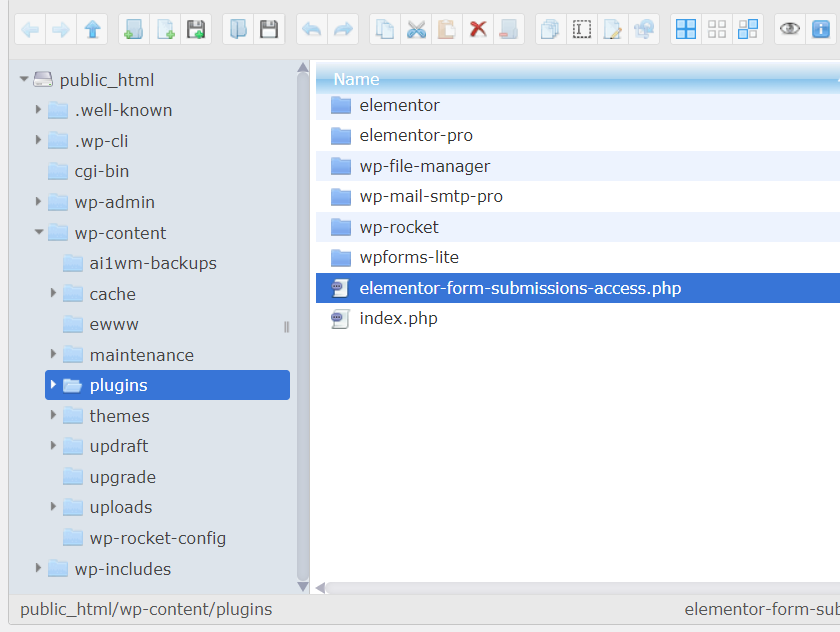
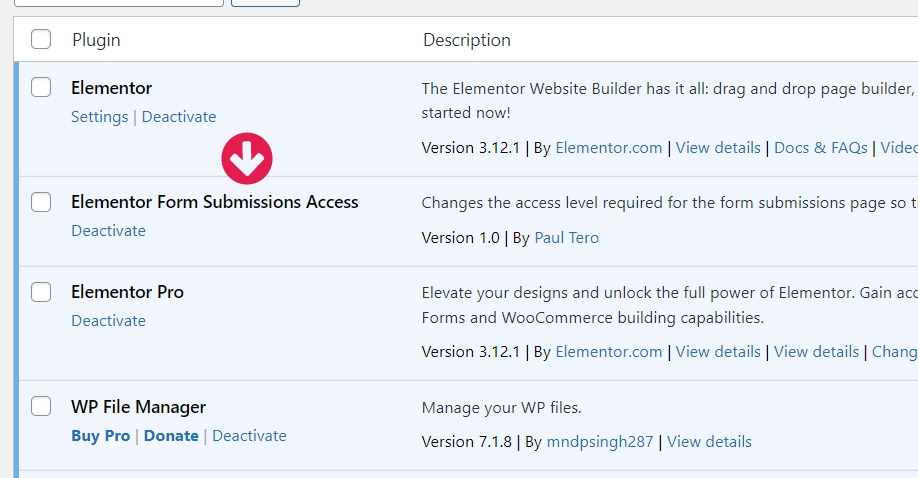
Step 3. Go into the Plugins and activate it.
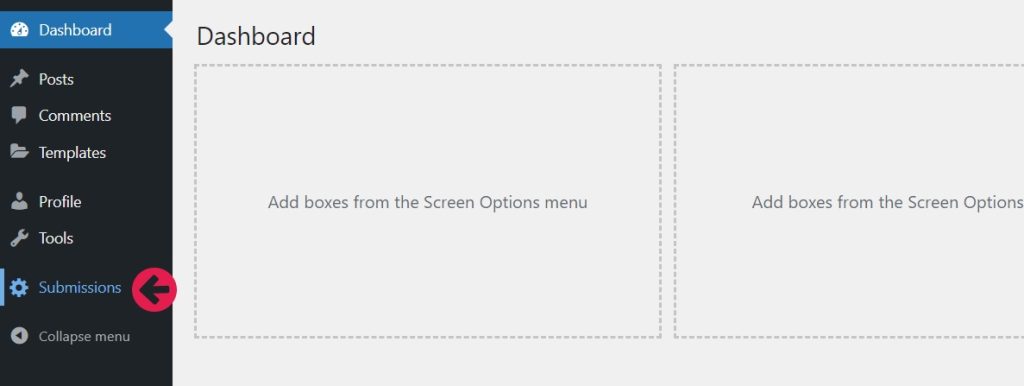
To see that it worked, login as an Editor and you will see a menu item for editors to view the Elementor contact form submissions.
A big shout out to the developer, Paul Tero, for this plugin that allows other user roles to view submissions from Elementor contact form!
					<?php if (!defined( 'ABSPATH' ) ) die( 'Forbidden' );
/*
Plugin Name: Elementor Form Submissions Access
Description: Changes the access level required for the form submissions page so that editors can view it too.
Version: 1.0
Author: Paul Tero
Author URI: http://www.tero.co.uk/
License: GPL2+
Released: 22/3/2022

This program is free software; you can redistribute it and/or modify
it under the terms of the GNU General Public License as published by
the Free Software Foundation; either version 2 of the License, or
(at your option) any later version.

This program is distributed in the hope that it will be useful,
but WITHOUT ANY WARRANTY; without even the implied warranty of
MERCHANTABILITY or FITNESS FOR A PARTICULAR PURPOSE.  See the
GNU General Public License for more details.
*/

if (!class_exists('ElementorFormSubmissionsAccess'))
{

    class ElementorFormSubmissionsAccess
    {
        /**
         * See if this user is just an editor (if they have edit_posts but not manage_options).
         * If they have manage_options, they can see the Form Submissions page anyway.
         * @return boolean
         */
        static function isJustEditor()
        {
            return current_user_can('edit_posts') && !current_user_can('manage_options');
        }

        /**
         * This is called around line 849 of wp-includes/rest-api/class-wp-rest-server.php by the ajax request which loads the data
         * into the form submissions view for Elementor (see the add_menu_page below). The ajax request checks the user has
         * the manage_options permission in modules/forms/submissions/data/controller.php within the handler's permission_callback.
         * This overrides that, and also for the call to modules/forms/submissions/data/forms-controller.php (which fills the
         * Forms dropdown on the submissions page). By changing the $route check below, you could open up more pages to editors.
         * @param array [endpoints=>hanlders]
         * @return array [endpoints=>hanlders]
         */
        static function filterRestEndpoints($endpoints)
        {
            if (self::isJustEditor())
            {
                error_reporting(0); // there are a couple of PHP notices which prevent the Ajax JSON data from loading
                foreach($endpoints as $route=>$handlers) //for each endpoint
                    if (strpos($route, '/elementor/v1/form') === 0) //it is one of the elementor endpoints forms, form-submissions or form-submissions/export
                        foreach($handlers as $num=>$handler) //loop through the handlers
                            if (is_array ($handler) && isset ($handler['permission_callback'])) //if this handler has a permission_callback
                                $endpoints[$route][$num]['permission_callback'] = function($request){return true;}; //handler always returns true to grant permission
            }
            return $endpoints;
        }

        /**
         * Add the submissions page to the admin menu on the left for editors only, as administrators
         * can already see it.
         */
        static function addOptionsPage()
        {
            if (!self::isJustEditor()) return;
            add_menu_page('Submissions', 'Submissions', 'edit_posts', 'e-form-submissions', function(){echo '<div id="e-form-submissions"></div>';});
        }

        /**
         * Hook up the filter and action. I can't check if they are an editor here as the wp_user_can function
         * is not available yet.
         */
        static function hookIntoWordpress()
        {
            add_filter ('rest_endpoints', array('ElementorFormSubmissionsAccess', 'filterRestEndpoints'), 1, 3);
            add_action ('admin_menu', array('ElementorFormSubmissionsAccess', 'addOptionsPage'));
        }
    }

    ElementorFormSubmissionsAccess::hookIntoWordpress();
} //a wrapper to see if the class already exists or not
Still need a hand? Feel free to hit us up! We can help with any of your web design, website development and SEO marketing needs.
I found this solution from a github community form: https://github.com/elementor/elementor/issues/14634 where user paultero posted his WordPress php file.
Published
2023/04/04